Updates, backups, and production operations
Run Audoryx predictably: observe first, back up before change, verify every release, and rehearse recovery before it is urgent.
Keep at least one encrypted off-server copy and test restoration on an isolated environment. A local ZIP on the same failing disk is not disaster recovery.
Automatic updates
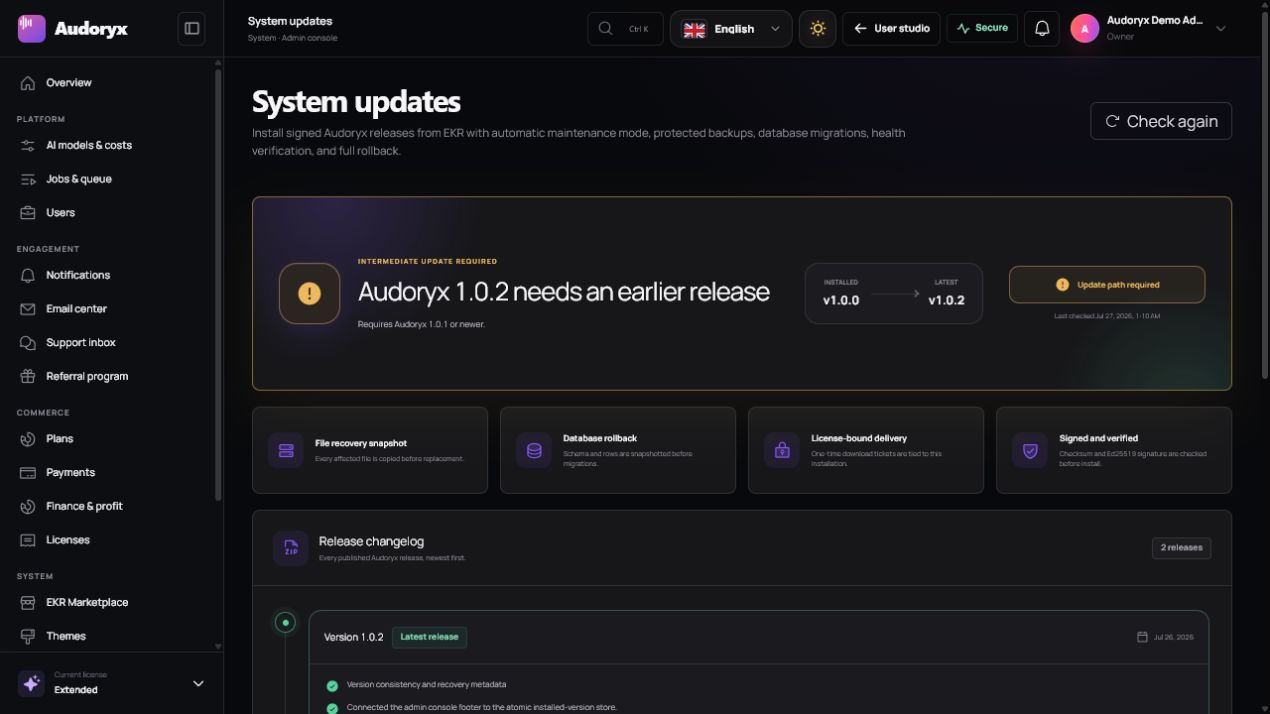
Open Admin → System updates to synchronize the signed EKR release manifest, compare the installed version, and read every intervening changelog. Download authorization is tied to the current valid license; the application never treats a public archive URL as sufficient authority.
- Preflight. Confirm a valid license, supported PHP/database versions, free disk space, writable paths, healthy queues, and no other update lock.
- Authorize and download. Request a short-lived release download from EKR, stream to a staging file, and verify size, digest, identity, compatibility, and package signature.
- Back up. Archive the current managed files and create a database dump inside the rollback set, then verify checksums.
- Enter maintenance. Preserve the previous maintenance setting and stop mutable public work while keeping a controlled recovery path.
- Stage and apply. Reject traversal, links, unexpected roots, and protected-path writes; extract to staging before an atomic replacement.
- Migrate and optimize. Run the release's approved migrations, clear/rebuild caches, restart workers, and verify the application version.
- Probe health. Test database, storage, queues, scheduler, license, route boot, and an authenticated administrative request.
- Finish or roll back. Restore the previous files and database on failure; otherwise restore the prior maintenance setting and retain an audit record.
The archive authoring contract is preserved in the update-package reference.
Manual updates
Use the manual archive only when EKR delivery is unavailable or an operator needs a
controlled offline maintenance window. Open Admin → Settings → Maintenance,
create and download a fresh backup, choose the release's
Audoryx-2.0.0-Manual-Update.zip, and paste the published SHA-256 before
submitting it. The manual and EKR archives use the same strict manifest and rollback
pipeline; renaming the ZIP does not change its contents or integrity hash.
- Confirm compatibility. Audoryx 2.0.0 accepts installations from 1.0.6 or newer and requires PHP 8.2 or newer.
- Verify the archive. Compare the complete ZIP SHA-256 with the value supplied in the release bundle before upload.
- Keep the package intact. Do not unzip, recompress, nest, or add files; every entry is declared and hashed.
- Complete post-update checks. Restart queue workers, verify the reported 2.0.0 version, test storage and provider connectivity, and retain the maintenance audit record.
Before selecting Update
- Read every changelog from the current version through the target version.
- Confirm customizations are implemented through supported settings/extensions, not core-file edits.
- Download a separate manual backup and record its hash and storage location.
- Pause high-value campaigns and long-running generation work.
- Schedule a maintenance window proportional to database and media size.
Backups and rollback
| Backup content | Why it matters |
|---|---|
| Database dump | Users, credits, jobs, tracks, plans, configuration metadata, and ledgers must return to the same point in time. |
| Application-managed files | The exact release, installed themes, and safe local content must match the database schema. |
| Private media metadata and files | Tracks and uploads require a coordinated storage retention strategy. |
| Environment and application key | Encrypted settings cannot be decrypted after restoration without the original key. |
| Manifest and SHA-256 hashes | Integrity checks detect incomplete or altered archives before recovery. |
Automatic rollback covers a failed update transaction; it does not replace full disaster recovery. If the update process itself loses power, use the recorded recovery state and verified backup from a separate administrative session or the server console.
Maintenance mode
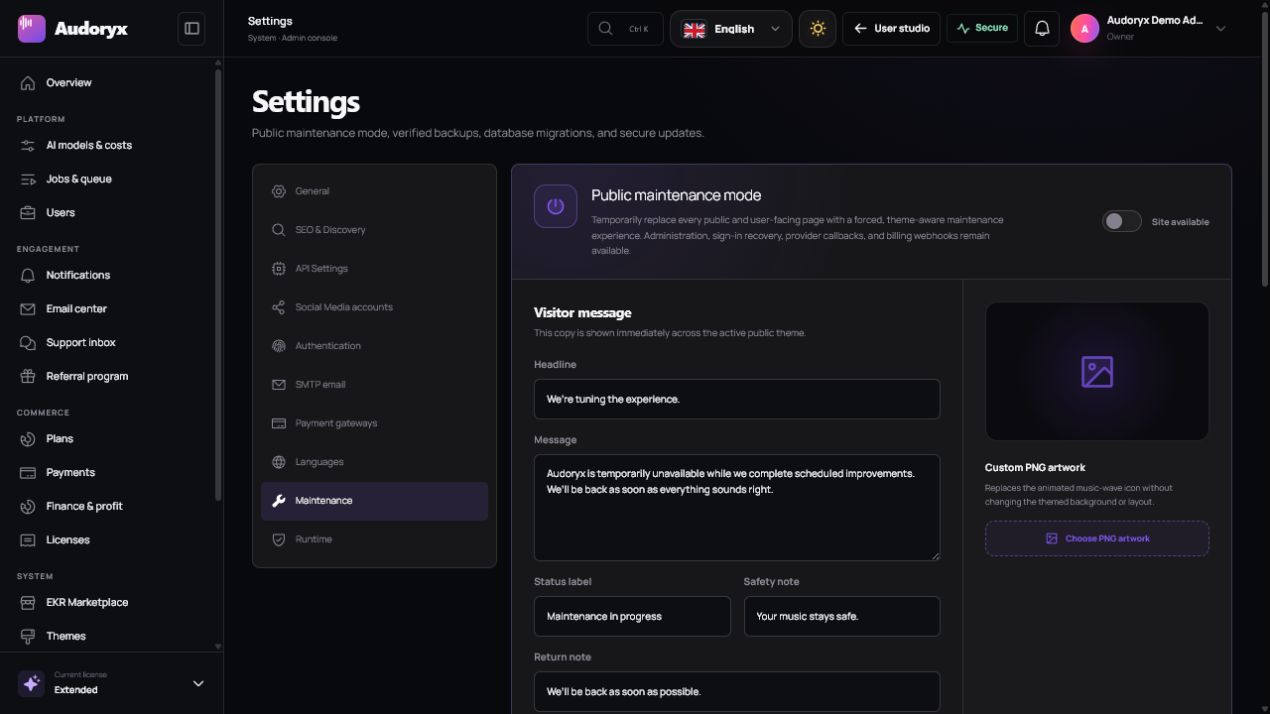
In Admin → Settings → Maintenance, enable a themed public page, customize its title and message, and optionally replace the icon with a validated PNG. Authenticated administrators retain a constrained recovery route.
- Announce planned work before activation and provide a realistic status channel.
- Use a generic message during unexpected incidents; do not expose stack traces or infrastructure details.
- Verify the maintenance surface for the active theme, narrow viewport, keyboard access, and RTL.
- Record whether maintenance was already enabled before an automatic update and restore that exact state afterward.
Queue monitoring
Audoryx uses separate queues so slow provider work does not starve user communication or maintenance tasks. Monitor each configured queue rather than only the default.
php artisan queue:work --queue=audio,notifications,default,database,maintenance --sleep=2 --tries=3 --timeout=900- Run workers under Supervisor, systemd, or a hosting control-panel daemon and restart them after every deployment.
- Match the worker timeout to provider and application limits; keep the process manager's stop timeout longer.
- Alert on oldest queued age, failed-job growth, worker disappearance, retry storms, and provider throttling.
- Inspect the job before retrying; retries must be safe and cannot double-charge credits or duplicate provider work.
Scheduler
* * * * * cd /path/to/audoryx && php artisan schedule:run >> /dev/null 2>&1Use the server's real absolute path. Confirm the scheduler's last run in System health after saving the cron entry.
Logging and retention
- Keep production debug output disabled and send detailed exceptions only to protected logs.
- Redact authorization headers, API keys, purchase codes, tokens, cookies, signatures, payment data, and private prompts where policy requires it.
- Rotate logs before they exhaust disk, retain them according to policy, and protect downloads with administrative authorization.
- Correlate requests, jobs, provider IDs, transactions, and webhooks with opaque identifiers—not raw secrets.
Disaster recovery rehearsal
- Restore to an isolated hostname and network policy.
- Restore application files, environment, database, and private media to one consistent recovery point.
- Keep outbound mail, providers, webhooks, and payments disabled until identifiers and URLs are reviewed.
- Run migrations only if the restored release requires them, then clear caches and restart workers.
- Verify login, authorization, balances, media, license recovery, queue behavior, and selected business journeys.
- Record recovery time, data loss window, failures, and corrective actions.