Connect only what you can operate.
Audoryx normalizes provider behavior without hiding ownership, cost, capability, quota, or legal differences. Credentials are supplied and controlled by the installation operator.
Provider security model
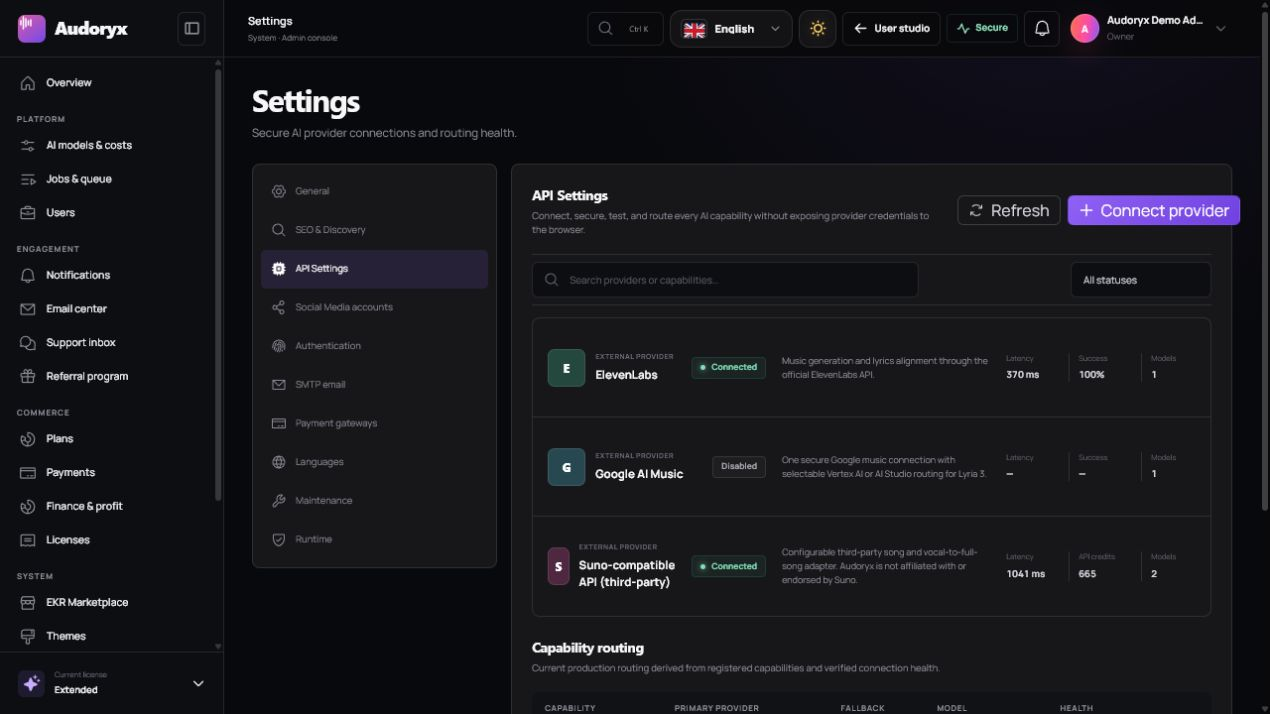
Open Admin → Settings → API Settings. Each provider drawer shows only the connection inputs needed for that provider.
- Saved secrets are encrypted under the application key.
- The browser receives connection state and a short masked hint, never the decrypted credential.
- Leaving a configured secret blank retains its saved value.
- Connection tests execute server-side and return sanitized results.
- Operational endpoints, timeouts, formats, and internal model defaults are not exposed as routine administrator inputs.
- Disable a provider before revoking its external account credential.
Confirm API resale/OEM permissions, end-user access, voice consent, retention, content rules, commercial output ownership, and regional availability directly with every provider.
Capability matrix
| Provider | Connection | Primary use | Important boundary |
|---|---|---|---|
| ElevenLabs Music | API key | Complete music generation and detailed music responses where the account/API supports them. | Do not present unrelated speech products as Audoryx music features. |
| Google Lyria | AI Studio key or Vertex service-account/OAuth connection | Lyria 2 instrumental output and supported Lyria 3 preview song workflows. | Model availability, region, preview terms, output format, and duration differ. |
| MusicGPT | Official MusicGPT API key | Two-version song generation, Pro-model HLS streaming, Voice to Song remixing, extend, inpaint, stems, WAV, and timed lyrics. | Streaming is available on v6-pro and v7-pro for paid MusicGPT accounts; Audoryx copies completed files immediately. |
| Suno-compatible API | API key for the configured independent compatible service | Asynchronous generation, supported advanced workflows, uploaded-vocal Voice to Song, and compatible editing actions. | Audoryx is not affiliated with Suno; the operator must validate the chosen service and contract. |
ElevenLabs Music
Create a permitted provider credential
Use an account and API plan whose terms cover the intended production and end-user workflow.
Paste only the API key
Open the ElevenLabs drawer, enter the key, enable the connection when ready, and save. Base URLs, output formats, default models, and stream timeouts are server-managed.
Test the connection
The real health check verifies account identity and usable access. A saved key without a passing test is not production-ready.
Run one authorized generation
Confirm early metadata, stream availability when returned safely, final audio, duration, lyrics/timing behavior, cover assignment, credit settlement, and stored media.
Timestamped lyric alignment may use supported internal ElevenLabs capabilities. Audoryx does not expose a general transcription, narration, TTS, dubbing, isolation, sound-effects, or stem product through this music connection.
Google Lyria
Choose the connection path that matches the Google account and model:
AI Studio
Enter the AI Studio API key when the desired Google music model and account support that connection path.
Vertex AI
Provide the required project identity and authorized service-account JSON or OAuth connection. Grant only the least privileges required by the selected model.
| Model family | Audoryx treatment |
|---|---|
| Lyria 2 | Instrumental music generation. It does not accept lyrics or generate vocals. |
| Lyria 3 preview | Supported preview song/clip workflows with behavior defined by the current Google preview offering and connected account. |
Review the official Google documentation for the current model name, region, quota, preview status, duration, format, and terms. Audoryx's connection test does not replace a permitted end-to-end production test.
MusicGPT
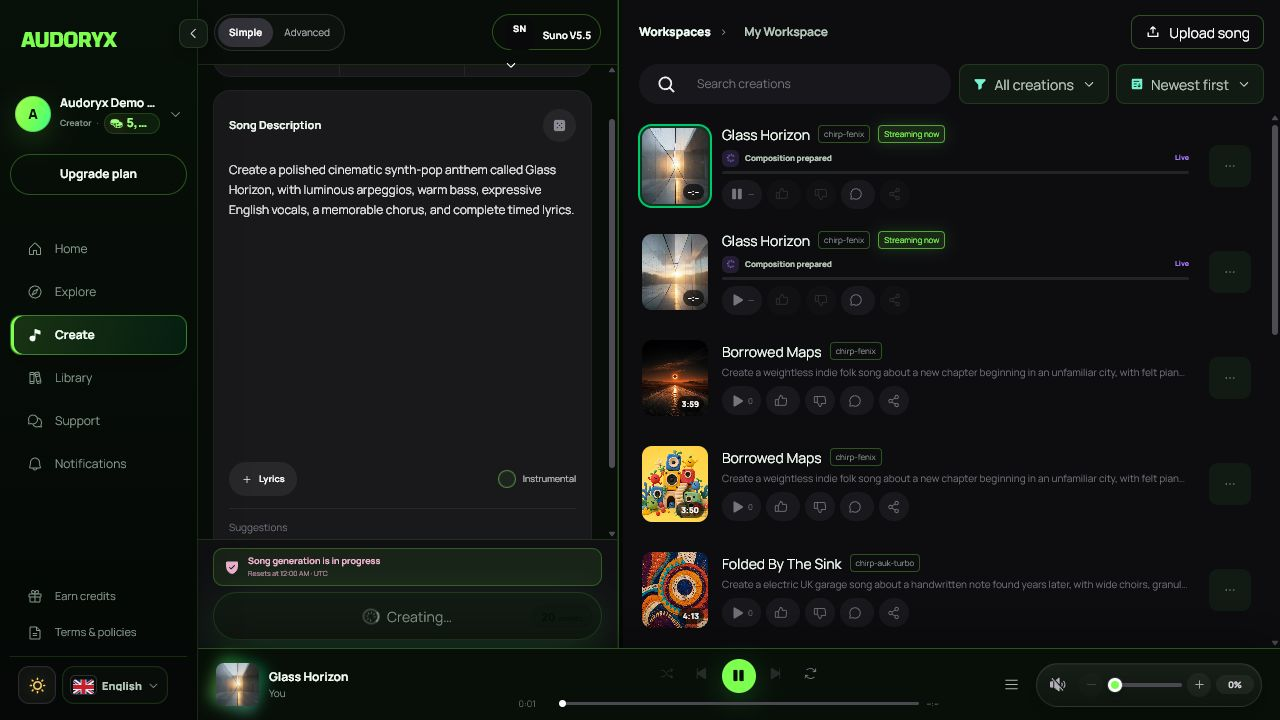
The official adapter exposes MusicGPT v6, v6-pro, v7, and v7-pro through Music AI v2. The -pro models deliver an HLS URL for paid API accounts by token-bound webhook while each variation is still being composed; Audoryx relays the update through its authenticated generation stream and loads browser HLS support only for those live sources.
- Configure the MusicGPT API key and select API Plus or API Pro in Admin → API Settings; unavailable models and streaming capabilities are then disabled automatically.
- MusicGPT songs receive provider-owned Remix / Cover, Extend, Replace Section (Inpaint), Stem Separation, and WAV actions.
- Voice to Song, Remix, Extend, and Inpaint use MusicGPT's provider-managed v6 workflows; v7 is never advertised for an endpoint that cannot accept it.
- The source provider, task, conversion, and media IDs are always derived from the completed owned song and cannot be replaced by browser input.
- Each completed MP3, WAV, and stem is copied into private Audoryx storage immediately.
- The connection test validates the public HTTPS callback, then uses the official read-only voice catalogue without submitting a billable generation.
- The finance ledger applies plan-aware per-song and duration-based rates for MusicGPT generation and studio tools.
Suno-compatible provider
This adapter targets an independently operated, configurable compatible API. The default service identity in a build does not create an official relationship with Suno.
- Enter the API key in its connection drawer and run the real health test.
- Ensure the installation's public HTTPS callback routes are reachable by the configured service.
- Simple and Advanced generation, Audio, Voice, Inspo, Voice to Song, remix, extension, replacement, stems, and export controls appear only where the selected model and operation support them.
- Voice to Song uploads a user-owned vocal performance and builds an arrangement around it; it is not text-to-speech.
- Do not change provider endpoints in production without validating authentication, response schemas, callback signatures/tokens, idempotency, SSRF boundaries, media limits, and legal terms.
The studio hides or disables incompatible controls for clarity, while the server independently rejects unsupported operations. Client state is never the authorization boundary.
Models and costs
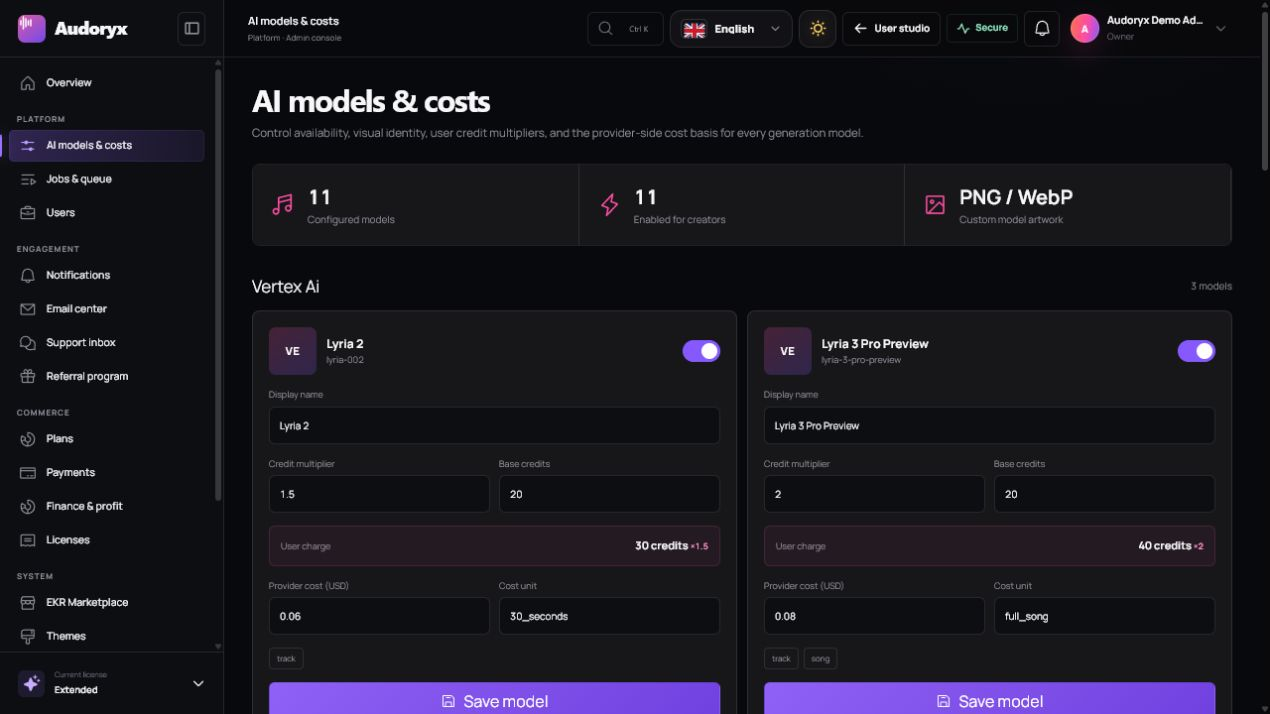
Open Admin → AI models & costs. Every visible model should have an accurate name, provider, capability set, enabled state, artwork, user credit multiplier, and provider cost basis.
- Disable a model until the connected account can use it successfully.
- Set credit cost from measured provider cost and the intended margin, not from a guessed label.
- Document whether a result produces one or multiple tracks.
- Verify Simple, Advanced, Voice to Song, lyrics, vocals, streaming, and editing support separately.
- Retest after a provider model, API version, pricing, region, or account entitlement changes.
Streaming generation lifecycle
| State | User experience | Operator expectation |
|---|---|---|
| Queued | The request is accepted locally and waiting for a worker. | A worker must consume the correct queue promptly. |
| Submitted | Early provider metadata may appear before final audio. | The provider accepted or is processing the task. |
| Streaming | Play becomes available only after a safe playable stream URL exists. | Do not mark a failed or metadata-only item as Live. |
| Completed | Final media, duration, cover, lyrics/timing, actions, and credit settlement are available. | Persist and verify provider media before exposing owner-authorized playback. |
| Failed | A sanitized message is shown; no Live line or label remains. | Release/refund reserved credits exactly once and retain an actionable server-side diagnostic. |
Production verification
- Use a provider test account whose terms permit the intended workflow.
- Run the connection test from the final production origin.
- Generate every advertised operation at least once.
- Verify queue, callback/polling, live updates, stream playback, final media, lyrics, artwork, costs, credits, and failures.
- Review sanitized logs for secrets, raw provider payloads, personal audio, or unsupported claims.
- Record the provider account, tested model, date, result, and contract owner in the private release evidence.
Deeper adapter behavior remains documented in the provider engineering reference.